 14 DAY TRIAL //
 If you think that AdWords is a simple solution that can be used with ease, you're wrong because it is a little bit difficult to configure your account in order to maximize the profit. Sometimes, if anything goes wrong, your adverts might not appear on Google and because most of the advertisers are registering with this goal in mind, it's very important to fix the issue. The folks from the AdWords team posted a detailed troubleshooting guide to explain the main reasons for not seeing your advert on the main page of the search technology.
First of all, your advert may be disapproved, a move that stops showing your adverts on Google. Usually, this happens due to the infringing of the Editorial Guidelines or the Content Policy so, if you want to fix it, you should use the Disapproved Ads Tool included in your account. Secondly, your keywords might become inactive for search because you don't have enough Quality Score and CPC bid. There are also several reasons such as your account is not active or your ad is showing but on a lower position due to other bids.
"AdWords is all about results and we understand that you want to monitor your ads. However, searching for your ads on Google can lead to a diluted clickthrough rate (CTR) as well as account changes based on results that may not represent what the average user sees (more on both points later). For these reasons, we strongly recommend against monitoring your ads solely based on a Google.com search," the AdWords team said today.
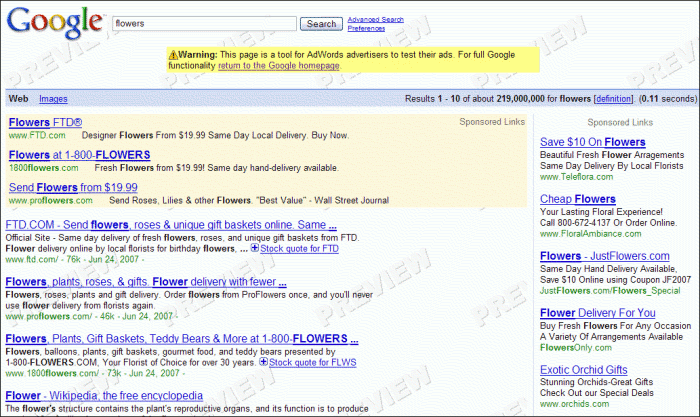
As usual, you're encouraged to use several solutions to configure your account in order to maximize your profit. For example, you can visit the Ad Preview page to view your adverts displayed on Google without altering the impressions recorded by the parent company.
For a complete troubleshooting guide offered by the Mountain View company, you should check this interesting blog post published by the AdWords team.