 14 DAY TRIAL //
 Canonical announced a few hours ago the immediate availability of a new Linux kernel security update for the following Ubuntu distributions: 6.06 LTS (Dapper Drake), 8.04 LTS (Hardy Heron), 8.10 (Intrepid Ibex), 9.04 (Jaunty Jackalope) and 9.10 (Karmic Koala). The update also applies to Kubuntu, Edubuntu and Xubuntu and it patches 10 important security issues (see below for details) discovered in the Linux kernel packages by various hackers. Therefore, it is strongly recommended to update your system as soon as possible!
The following Linux kernel vulnerabilities were discovered:
1. The EXT4 and HFS filesystems failed to check various disk structures. Because of this, a remote attacker could trick a user into mounting a specially devised filesystem and could crash the affected system or gain root (system administrator) privileges. The issue was discovered by Amerigo Wang and Eric Sesterhenn and affects all the aforementioned Ubuntu systems.
2. FUSE (Filesystem in Userspace) failed to check various requests. Because of this, a local attacker that had access to FUSE mounts could crash the affected system or gain root (system administrator) privileges. The issue affects only Ubuntu 6.06 LTS, 8.04 LTS, 8.10 and 9.04 systems.
3. KVM failed to decode various guest instructions. This could lead to a DoS attack and crash the affected system, by triggering "high scheduling latency" in the host. The issue affects only Ubuntu 8.04 LTS, 8.10, 9.04 and 9.10 systems.
4. The OHCI firewire driver failed to handle various ioctls. Because of this, a local attacker could crash the affected system or gain root (system administrator) privileges. The issue affects only Ubuntu 8.04 LTS, 8.10, 9.04 and 9.10 systems.
5. The Linux kernel failed to handle O_ASYNC on locked files. Because of this, a local attacker could gain root (system administrator) privileges. The issue was discovered by Tavis Ormandy and affects only Ubuntu 9.04 and 9.10 systems.
6. The e1000e and e1000 network drivers for Eee PCs failed to check Ethernet frames' size. Because of this, a local attacker on the LAN could crash the affected system or gain root (system administrator) privileges by sending specially devised traffic. The issue was discovered by Neil Horman and Eugene Teo, and affects all Ubuntu systems.
7. Random contents of kernel memory could be shown by "print-fatal-signals" reporting. This could lead to loss of privacy. The issue affects only Ubuntu 8.04 LTS, 8.10, 9.04 and 9.10 systems.
8. IPv6 failed to handle jumbo frames. This could lead to a DoS attack and crash the affected system. The issue was discovered by Olli Jarva and Tuomo Untinen, and affects only Ubuntu 9.04 and 9.10 systems.
9. The rules of bridging netfilter could be modified by regular users. This could lead to a DoS attack, by fracturing the network traffic. The issue was discovered by Florian Westphal and affects all Ubuntu systems.
10. Linux kernel memory could be leaked by various mremap operations. This could lead to a DoS attack, by consuming the entire available memory. The issue was discovered by Al Viro and affects all Ubuntu systems.
The above Linux kernel vulnerabilities can be fixed if you update your system today to the following specific packages:
• For Ubuntu 6.06 LTS, users should update their kernel packages to linux-image-2.6.15-55.82.
• For Ubuntu 8.04 LTS, users should update their kernel packages to linux-image-2.6.24-27.65.
• For Ubuntu 8.10, users should update their kernel packages to linux-image-2.6.27-17.45.
• For Ubuntu 9.04, users should update their kernel packages to linux-image-2.6.28-18.59.
• For Ubuntu 9.10, users should update their kernel packages to linux-image-2.6.31-19.56.
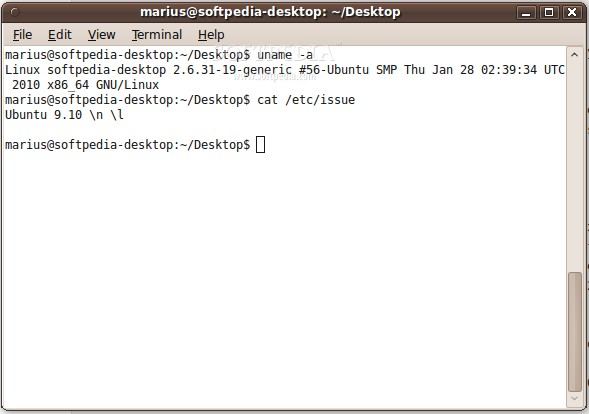
Don't forget to reboot your computer after this important kernel update! To verify the kernel version, type the sudo dpkg -l linux-image-2.6.31-19-generic command in a terminal (the example is for Ubuntu 9.10 users ONLY, and it will output the version of the Linux kernel listed above). ATTENTION: Due to an unavoidable ABI change, the kernel packages have a new version number, which will force you to reinstall or recompile all third-party kernel modules you might have installed. Moreover, if you use the linux-restricted-modules package, you have to update it as well to get modules that work with the new Linux kernel version.
Get the latest stable version of Ubuntu right now from Softpedia. Don't forget to share it with your friends and family!